
Accessing the User Management Page
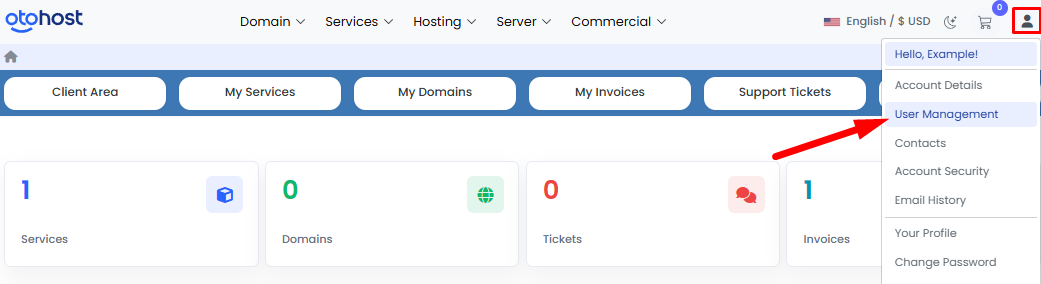
- Click on the profile icon (👤) located in the upper-right corner of your Client Area.
- From the dropdown menu, navigate to the "User Management" section.
Removing a User
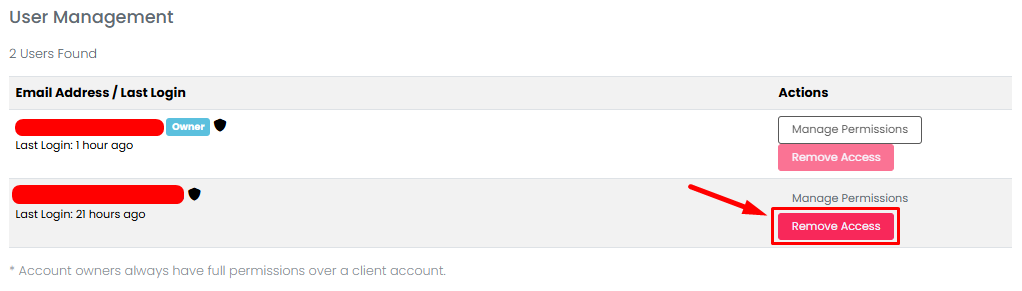
- On the User Management page, click the "Remove Access" button next to the user you wish to remove.
- If needed, you can also modify the user's permissions by clicking the "Manage Permissions" button on the same page.
Confirming the Action
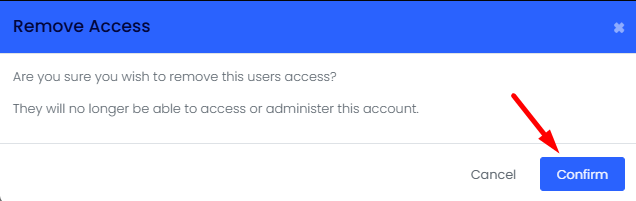
- In the confirmation window that appears, click the "Confirm" button.
Completed
The user will be successfully removed from your account. Once the process is complete, the user will no longer be able to access your account.

